Turn your policies into compliance training
Generic compliance training covers the rule, but incidents happen in your own details: your machines, your sites, your products. Upload the policy or procedure you already have. Claro builds narrated lessons from it, with scenarios where learners have to apply it, and nothing reaches them until you share the course.
Updated 2026-11-09.
Start from your own documents
Upload the policy, procedure or SOP as a PDF, a Word file or text, or link to the page where it lives. Add the regulation too if the lessons should quote it. Up to 50 MB per file.
By default Claro also searches the web for current practice. For compliance training, tell it to use only your files: a model fills gaps with what's typical, and a policy matters most where it isn't typical. In the outline, each lesson shows the file and the sections it draws on, and the lesson text cites it by name.
Practice the decision, not just the rule
Claro puts practice right after the idea it tests: branching scenarios where the learner makes the call and sees what follows, quizzes, and open answers graded by AI against a rubric. Tell Claro AI in the Studio what to practice, for example "a jammed conveyor ten minutes before the end of a shift." More on role plays and scenarios.
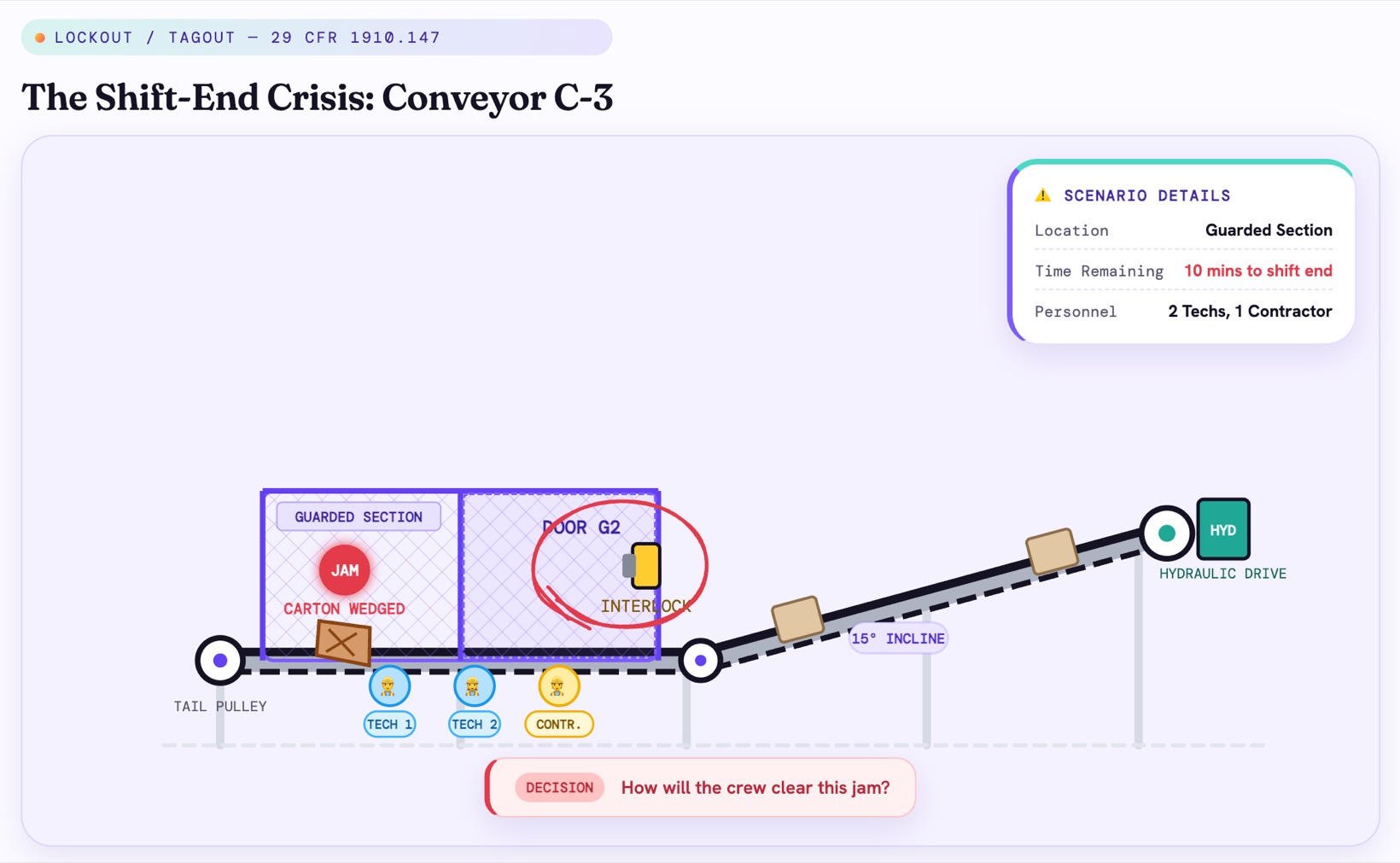
Try the jam yourself in the lockout/tagout course.
Review it before anyone takes it
A new course is private. Read each lesson against your policy before you share it, as you would a draft from a colleague. Check the numbers, the exceptions and the vague words, such as "reasonable" or "promptly": that's where a draft drifts from a policy. Fix a line by telling Claro AI what to change, or edit the text and slides yourself.
Assign it and see who passed
- Assign the course by email on Pro, or to everyone at your company domain on Team.
- Completion analytics on every plan, and quiz scores on Pro and Team.
- Or export it as SCORM or xAPI: your LMS gets completion, and every answer with whether it was right.
When the policy changes
- In the Studio, add the new version to the course's sources and attach it to the lessons it affects.
- Regenerate those lessons' text from it, or edit the text yourself.
- Choose Rebuild slides. Claro AI rebuilds that lesson's slides from the new text, and the rest of the course stays as it was.
- If the course is in your LMS, export it again and replace the package.
Questions
Will the course match my policy exactly?
It's built from your file and cites it, and you can tell it to use nothing else. It's still an AI draft, so read each lesson against the policy before you share it.
Can I combine a regulation with our own procedure?
Yes. Upload both. Our lockout course was built from OSHA's standard and a conveyor procedure: the rule in the first lessons, the machine in its own.
Can I see who completed it?
Yes. Completion analytics are on every plan. Pro and Team add quiz scores, and on Team you can assign a course to everyone at your company domain.
Does it work with my LMS?
Yes, on Pro and Team. Export it as SCORM or xAPI, and your LMS gets completion and every answer with whether it was right.
Is it free?
Your first 3 courses are free, built from your own documents. Pro is $39/month for 5 new courses a month.